

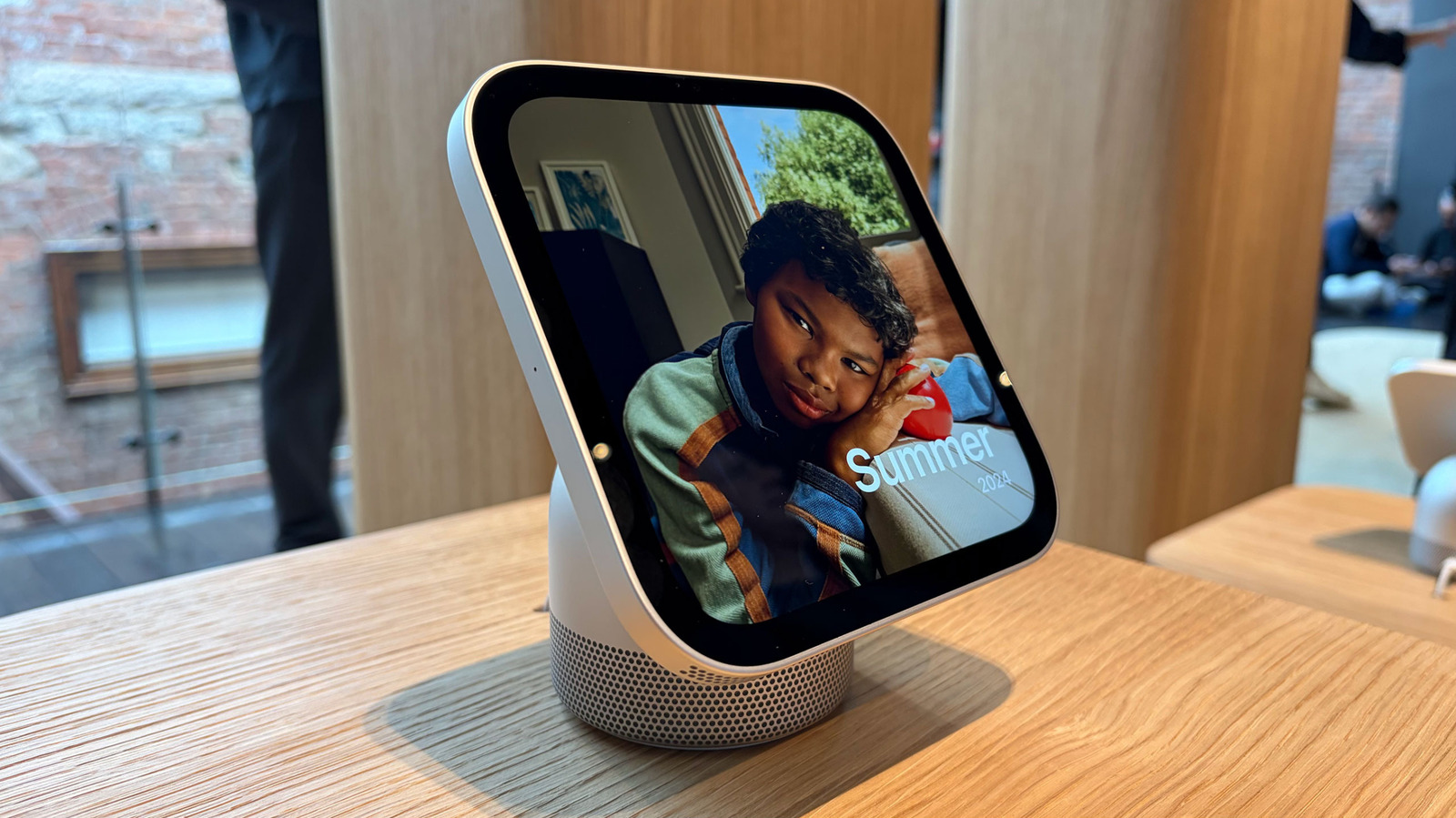
Apple HomeView depends on a nearby iPhone or iPad for much of what it shows, a design choice that Apple says protects personal data. The smart display, which was announced last month, reached customers this week. Apple CEO John Ternus said during an iPhone event this year that no product is better designed to be a personal hub than the iPhone, and Apple’s home team applies that idea to the HomeView as well.
What the Apple HomeView does
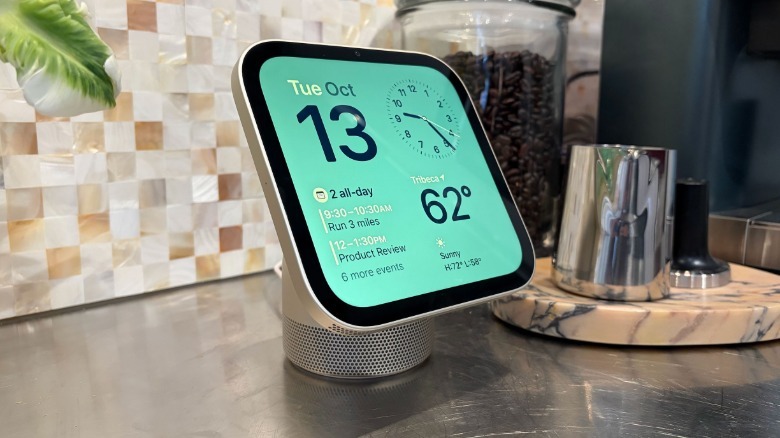
The Apple HomeView combines several gadgets in one device. It works as a visual interface and a smart speaker that is always listening for Siri queries. It also acts as a hub for a range of connected smart home devices, a cooking assistant in the kitchen, a FaceTime station and a digital photo frame.
The device does not run apps of its own. Instead, it mirrors the apps installed on a user’s iPhone or iPad, in a way similar to how CarPlay works in a car. Compatible apps appear on the display, along with Apple’s core suite, including Calendar, Messages, Reminders and Weather. Users cannot download software from the App Store to the HomeView directly.
Apple’s Home product marketing team member Cecilia Dantas said the company designs home products around three principles. “They have to be intelligent, personal and private,” she said.
Why the Apple HomeView needs a phone nearby
Siri relies on personal context from apps to give more useful and conversational answers. Apple needed a way to give Siri that access without weakening privacy. By keeping the iPhone as the only container for that information, and requiring it to be nearby for data to load, Apple says the information stays out of view when the user is away.
The Apple HomeView also has to serve every member of a household. It can turn lights off or show who is at the door, but it should not display every text message or reveal calendar invites that could spoil a surprise. Built-in face and voice recognition handle part of that job, and the iPhone or iPad handles the rest.
Matthew Costello, Apple’s vice president of hardware engineering, described the device as a glanceable screen that gives users what they need in the moment. “It recognizes you and shows you your information, but when you step away, it’s gone,” he said.
How access rules work on the device
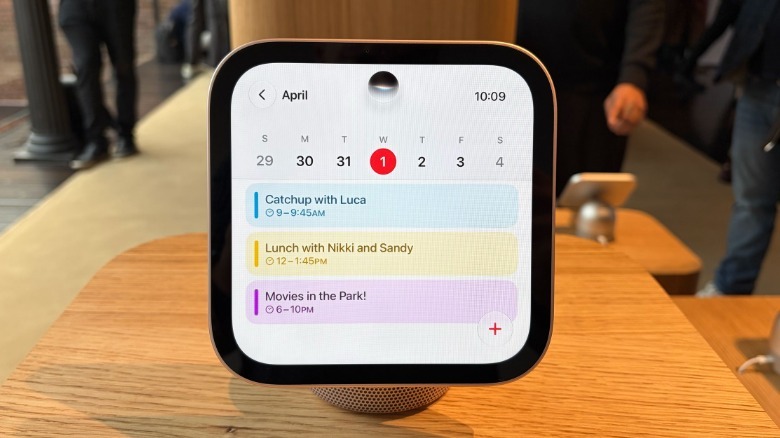
If the Apple HomeView does not recognize a user, it only allows basic tasks. A recognized user still needs a recently unlocked iPhone or iPad nearby before the display shows items such as Messages or Calendar. Costello said personal information appears only after face recognition and only when a paired iPhone is present and recently unlocked.
Costello said the data is not “posted on or housed on the device in any way.” Personal details appear while a user is interacting with the display and disappear once that user leaves.
Ecosystem benefits and the missing buttons
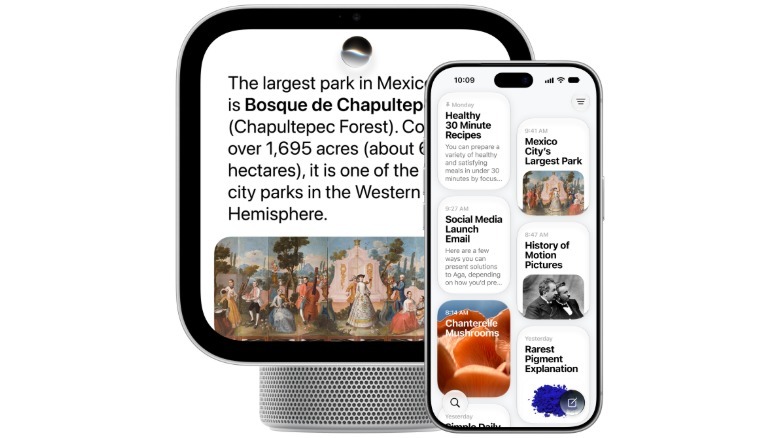
The dependence on an iPhone or iPad also brings features. As with a HomePod, the Apple HomeView can hand off music, FaceTime calls and other activity from a phone. Its recipe integration in Safari, which helps with cooking, also relies on the handoff feature, so a second Apple device is needed to start it.
Dantas said Apple does not see that reliance as a drawback. “It’s not just dependency, it’s also part of this ecosystem,” she said. She added that the familiar interaction style from the phone carries over to the display.
The Apple HomeView has no physical buttons, which was a deliberate decision. Costello said the team wanted voice to come first and touch second. “That eliminated buttons and physical controls,” he said. The device has a touchscreen, a square shape and a speaker, but it does not follow the button layouts of an iPad, an Apple Watch or a HomePod.
Restraint in product development
Dantas said one of the hardest parts of development was deciding which features from Apple’s existing devices and services to bring to the Apple HomeView and which to leave out. She said the team built on its earlier home products, but chose its features carefully to keep the experience simple and capable. Apple has not said how the company plans to expand the device’s feature set or whether it will add support for more apps.