

Google Messages could soon switch pinned chats automatically between a grid of circular tiles and a traditional list, depending on how many conversations a user pins. The change is based on code strings found in a beta version of the app, so it may not reach the stable release.
What the Google Messages beta code shows
The strings were found in the latest Google Messages beta, build messages.android_20261110_00_RC00.phone.openbeta_dynamic. They point to a system that chooses the pinned conversations layout based on the number of chats a user has pinned, rather than forcing one design on everyone. Among the strings is a confirmation dialog titled “Switching to list view.” According to the text, pinning a certain number of chats will change the pinned section to a list layout and turn off custom reordering.
A second string references a dialog titled “Switching to tile view.” That suggests the process can run in reverse. If a user pins fewer than a specified number of chats, the pinned section could return to the tile layout. Taken together, the strings describe a two-way switch that follows the size of the pinned list.
The strings also indicate that Google wants the pinned section to be more flexible. Users who pin only a few conversations could keep the newer look, while people who keep a longer list could get a layout built for more entries.
How the automatic layout switch could work
In practice, Google could let people keep the tile design when they only pin a handful of chats. Once they go past a set number, the section would change to the traditional list view. The strings do not say which number would trigger the change, so the threshold remains unknown.
One possibility is that Google keeps the six-chat limit for the tile layout and switches to the list when a user tries to pin a seventh conversation. That would make the trigger point clear to users, since the change would happen at the moment they exceed the tile limit. The strings do not confirm this approach, and other thresholds are possible.
For users, an automatic switch would remove the need to pick a layout manually. Someone who pins a few close contacts would see large, easy-to-spot icons, while a user with a longer list would get a layout that fits more conversations on screen.
The six-chat limit and the older 20-chat cap
The new tile layout currently supports a maximum of six pinned conversations. The earlier list-based design allowed users to pin up to 20 chats, so the redesign reduced that capacity considerably. Users who relied on a longer pinned list had to unpin conversations to make room under the new limit.
The code strings do not explicitly confirm that Google will restore the higher limit. However, the automatic switching could be the mechanism that brings back support for more than six pinned chats. Under that model, the list view would handle larger collections while the tiles stay focused on a smaller group. The strings do not confirm whether the previous 20-chat cap would return in full.
How the redesign changed pinned chats
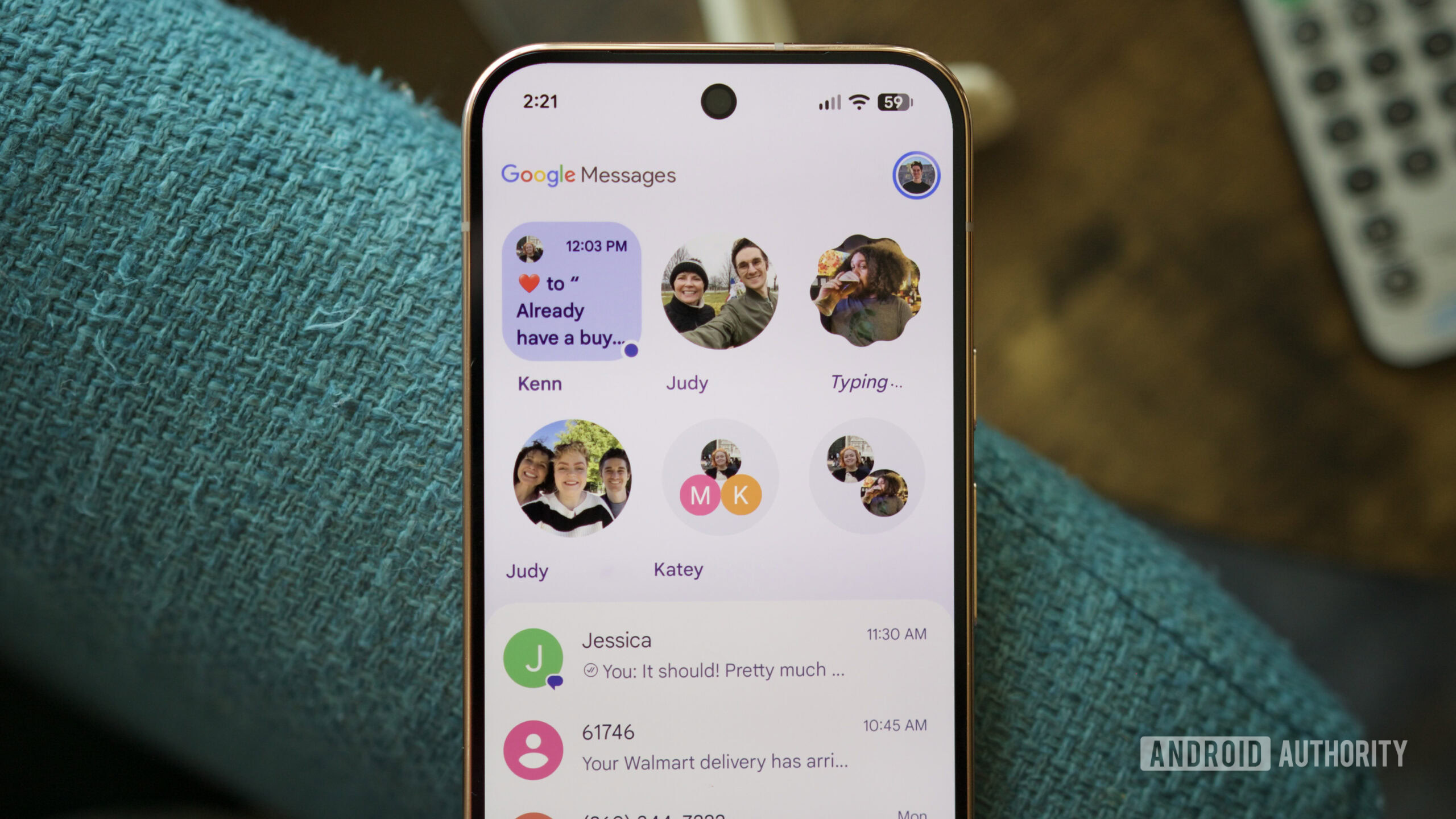
Google Messages recently introduced a redesigned pinned chats section that replaces the traditional list with large, circular contact icons. The tiles make pinned conversations easier to spot at a glance, which is the main appeal of the new look. The trade-off is space: a grid of big circles holds far fewer conversations than a list of rows.
The current design is visible on the Android phone shown in the cover image, where circular tiles with contact names sit above a standard list of conversations. Each tile displays a profile picture or initials, and recent message previews appear alongside some of them. That layout is what the new strings would preserve for smaller collections.
What is still unknown about the feature
The strings are from work-in-progress code, and Google could change how the feature works before launch or drop it entirely. Beta code often contains text for features that never ship, so the findings show what Google is testing rather than what users will receive. The exact trigger number, the maximum number of pinned chats in list view, and the release timing have not been announced.
Users will need to wait for a future Google Messages update to see whether the automatic switch arrives and how it behaves. Until then, the redesigned tile layout with its six-chat limit remains the current experience.