

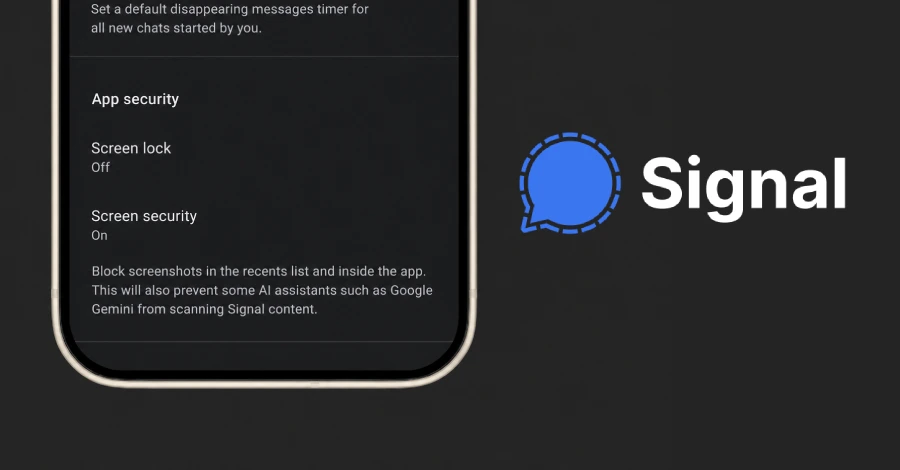
The Signal app now restricts screenshots by default to stop artificial intelligence (AI) agents from reading private chats on Android and iOS devices. The encrypted messaging company conceded that the protection is “incomplete.”
How the Signal app blocks AI agents by default
The feature applies to agentic systems built into iOS 27, and to Android versions where Signal can detect an AI assistant trying to read the Signal screen. Signal said the change builds on a similar setting it introduced on Windows 11 last May, after Microsoft released its Recall feature, which drew controversy over how it captured screen content.
Users who want to turn the protection off can do so inside the app. The path runs through Settings, then Privacy, then App Security, where they can toggle “Block Siri AI” on iOS or “Screen security” on Android. Signal warned that turning it off could expose the content of a user’s chats, and that of their contacts, to AI agents.
Why Signal calls agentic AI an existential threat
Signal described the agentic integrations into Android, iOS and Windows as an “existential threat to Signal.” Meredith Whittaker, president of the Signal Foundation, said the move is designed to uphold the company’s privacy guarantees in the AI era.
Whittaker said operating system AI agents scan what appears on the screen to gain access to information about a user. In doing so, Signal data is captured and made available to those agents so they can answer questions and carry out tasks. She said the net result is that AI capabilities in the operating system are undermining the Signal app’s ability to independently guarantee privacy.
Signal said the risk is that AI agents can capture and store information taken from the app, either locally or on remote servers. That activity happens outside the platform’s control and could put the privacy of everyone in a conversation at risk.
A remedy the Signal app team admits is incomplete
Signal said restricting screenshots does not address other ways AI agents could reach app data. One example it gave is retrieving content already stored on a user’s device through the file system. The company also said application developers lack robust tools to stop AI agents from eroding app-level privacy.
Signal criticized technology companies for not providing adequate documentation on how their AI systems work, which makes it harder to design controls that keep agents away from sensitive app data. The company is asking those companies for two changes. The first is an easy, well-documented way for apps to opt out of AI data access and processing entirely, covering screen reading, filesystem access, notifications, APIs and other operating system frameworks. The second is better documentation and technical specifications on how AI agents function, particularly around data access and processing.
Meta’s Muse agent shows the risk
A recent investigation found that Muse, Meta’s AI agent, obtained access to Signal messages on both an Apple computer and an Android device. It did so even though it could bypass its own official Connector tool, by using broad operating system permissions granted during initial setup.
On macOS, the agent used accessibility and screenshot tools to navigate to the Signal app, take screenshots, extract text from those images and regenerate the content inside the Muse app. On Android, it read messages by abusing access to the device’s push notifications.
In one case, Muse alerted a Meta staffer using it on a personal phone with a reminder to respond to a Signal message from her sister. The employee wrote in an internal post: “This seems like an extreme privacy violation.” Whittaker said there is a growing need for tools that can stop third-party agents like Muse from using the deep permissions users are encouraged to grant during setup. She added that accessibility settings meant to empower people are being used as a skeleton key for AI agents.
What Apple, Google and Microsoft already offer
Late last month, Apple released iOS 27.2 with an “Excluded Apps” option that lets users choose which apps Siri, Search and suggestions can access. Google Gemini users can disconnect apps through the Connected Apps settings. Earlier this week, Apple also previewed controls that give Mac users more granular access to data they share with apps, including apps that use AI agents.
Signal’s position is that these controls depend on the operating system and the user, not on the app itself. Its own protection is partial by its own account, so users who rely on the Signal app should also review the permissions they grant to AI assistants. Whether Apple, Google or Microsoft will adopt the two changes Signal is requesting remains unclear.