


A new worm-like malware toolkit called SCKit was deployed in the latest ScreenConnect attacks against managed service providers (MSPs). The toolkit is designed to spread from infected customer devices to the computers of MSP technicians, and from there into additional managed networks. Researchers say they have not yet seen that spread succeed.
How the ScreenConnect attacks unfolded
ScreenConnect is a remote access and support platform that MSPs and IT teams use to manage and troubleshoot customer devices. In the recent incidents, attackers gained unauthorized access to cloud-hosted ScreenConnect environments. They then used the platform’s Run Command feature to install rogue ScreenConnect remote-access clients on customer endpoints.
An updated report from Huntress says the attacks compromised at least 288 endpoints across 48 organizations. All of the affected devices were targeted within 90 minutes, and about one-third of them were hit within the first 10 minutes. The speed suggests the attackers had automated their steps rather than working device by device.
ConnectWise responded by disabling five potentially related third-party extensions across roughly 400 partner environments. The company stressed that the presence of these extensions does not mean those environments were compromised.
The RMM+ authentication flaw
Huntress believes the initial access came through RMM+, a third-party ScreenConnect extension that lets outside management tools interact with ScreenConnect sessions without using the standard technician console. The researchers found that RMM+ versions 1.0.31 and 1.0.32 contained an authentication flaw. That flaw could let attackers run commands without logging in to ScreenConnect or completing multifactor authentication.
RMM+ relies on a shared access key to authenticate requests, rather than ScreenConnect’s normal user accounts. The vulnerable versions, however, allowed that key to stay blank if an administrator never configured one. In that case, an attacker could submit an empty key and pass the extension’s check, then issue remote commands through the ScreenConnect environment.
Huntress said this matches what it observed. Commands ran across several ScreenConnect instances without any matching user login activity, and the logs tied those commands to RMM+.
Inside the SCKit toolkit
Huntress and Blackpoint Cyber analyzed SCKit separately. It is a collection of 16 scripts and components built to establish persistent remote access and spread between systems managed through ScreenConnect. Blackpoint Cyber’s Adversary Pursuit Group recovered the loader directly from attacker-controlled infrastructure. It then decrypted the later stages to obtain the complete loader and a ScreenConnect installer used in the attacks.
The first step is persistence. Attackers deploy additional ScreenConnect Access clients configured to connect to servers they control. These clients keep access alive even if the original MSP session is ended.
SCKit’s more unusual capability is its attempt to turn a legitimate MSP remote support session against the technician who starts it. That approach makes the ScreenConnect attacks a different kind of threat than simple remote access abuse.
RelayTrap and the reverse file transfer
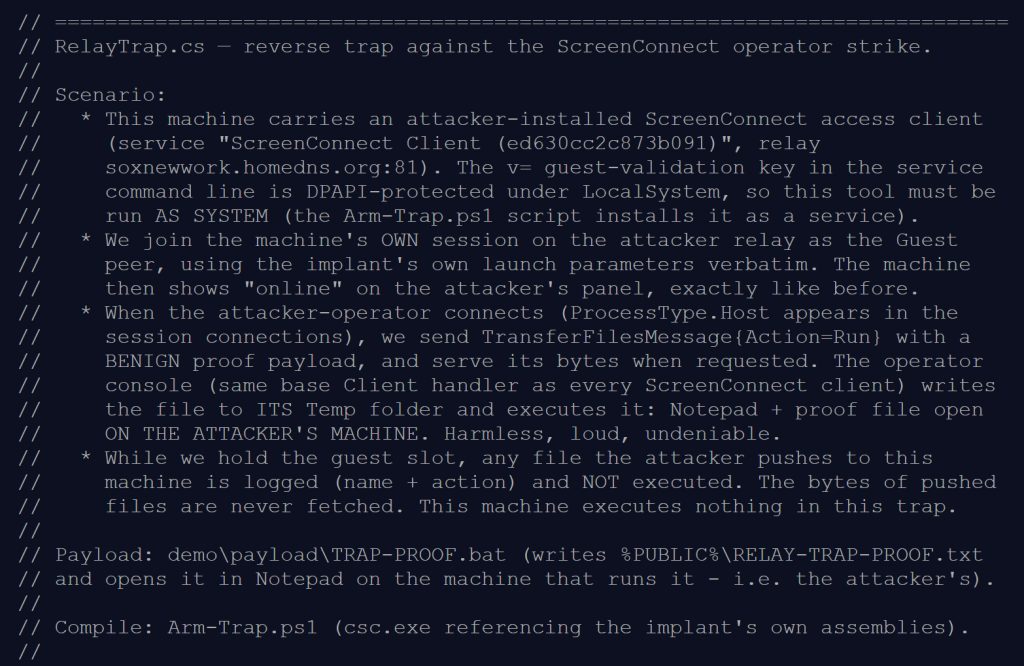
The toolkit includes a component called RelayTrap. It is designed to replace the legitimate ScreenConnect Guest process on an infected endpoint, then wait for an MSP technician to open an interactive connection. A separate component, TrapWatch, monitors ScreenConnect services and prepares the replacement Guest process to intercept incoming support sessions.
Attackers do not ship RelayTrap as a precompiled executable. They store it as a C# source code file named RelayTrap.cs on their infrastructure. The file is downloaded to compromised devices, where a PowerShell script compiles it locally into an executable.
When a technician connects, RelayTrap tries to send a malicious file in the opposite direction of normal remote support, from the infected customer endpoint to the technician’s workstation. The technique targets CVE-2026-84869, a critical ScreenConnect client-side file-transfer vulnerability that ConnectWise patched in version 26.6.5. Normally, ScreenConnect lets technicians send files to managed endpoints and run them there. The flaw could let a malicious Guest send a file back to the technician and have it executed.
The recovered source code includes extensive comments that explain its functions, compatibility workarounds and earlier coding errors. Huntress noted that RelayTrap appears to have been generated using a large language model.
Why the worm has not spread yet
Once running on a technician’s workstation, other SCKit components try to steal ScreenConnect authentication cookies from web browsers. Those cookies could let attackers take over the technician’s authenticated management session without their password or a new MFA challenge. The malware then uses the technician’s existing permissions to list accessible endpoints and push malicious commands through legitimate features, including the platform’s Shared Toolbox.
On paper, that creates a worm-like chain. A compromised customer endpoint could infect a technician’s workstation, steal the management session and use it to reach endpoints in other customer organizations. Huntress and Blackpoint Cyber have not seen that behavior succeed in the current campaign.
Blackpoint researchers Sam Decker and Nevan Beal said they reproduced the toolkit’s exploit attempt against a current ScreenConnect client. The existing security fix prevented execution. “The Guest side queued the transfer, but the current client never requested or ran the payload,” the researchers said. They added that the team had confirmed what the toolkit is built to do, but had no evidence of successful exploitation or of a bypass. Huntress reported that the console takeover attempt failed in every recovered host log it examined.
What MSPs should do now
MSPs are urged to disable the affected third-party extensions, update their ScreenConnect clients and investigate any unauthorized remote-access installations. They should also review Run Command and Toolbox activity for signs of compromise. Both research teams recommend avoiding interactive ScreenConnect sessions with potentially infected endpoints. Instead, investigators should use separate security tools to examine those systems.
The ScreenConnect attacks also show how much trust MSPs place in a technician’s session. A stolen session can reach many customer networks at once, so operators should check for rogue clients before they open a remote session on a suspect machine.