

A new project called 9/ux desktop brings the look and feel of the classic Macintosh and Apple’s A/UX Unix system to 9front, the community continuation of the Plan 9 operating system. The project was created by Jeff “Progrium” Lindsay, who was one of the people behind Docker and Webhooks.
The most unusual part of the project is how it is shown off. The project’s homepage embeds a working copy of the system that runs inside a web browser, so visitors can use it directly rather than looking at a screenshot. It runs on hyper9, a project that provides the virtual machine layer.
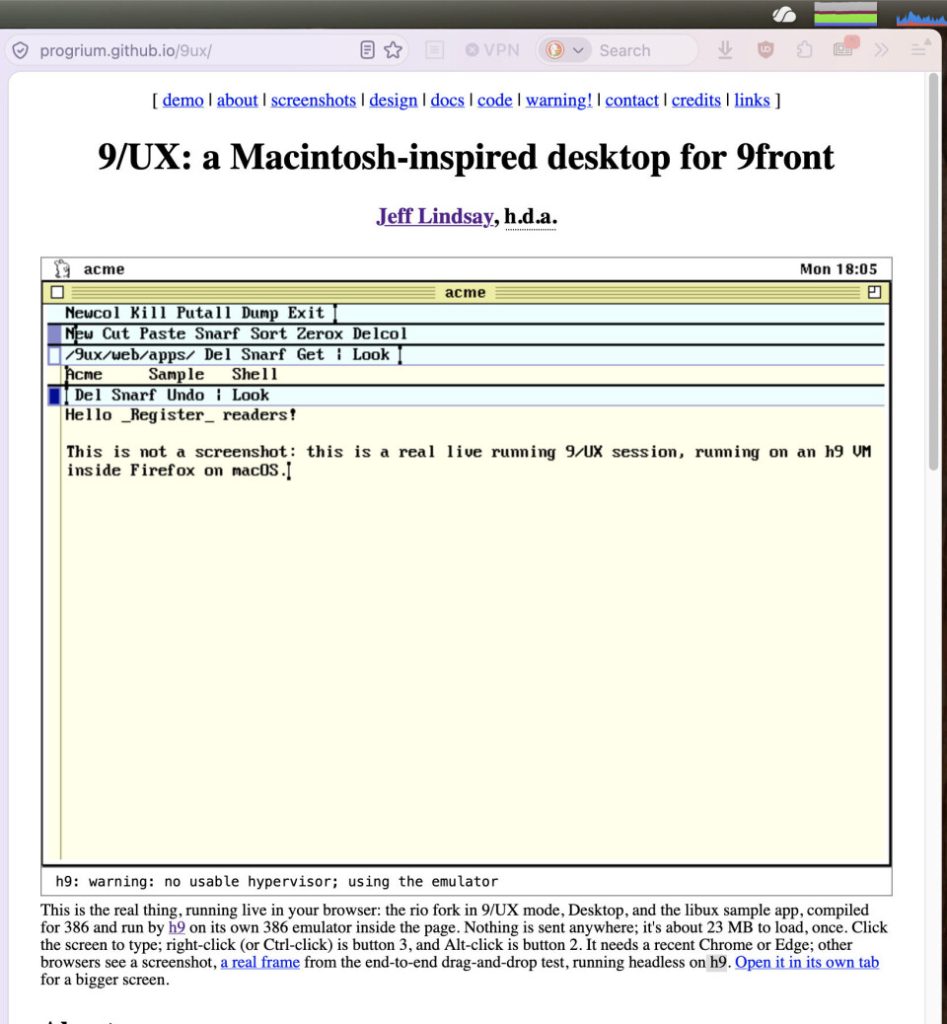
What the 9/ux desktop project is
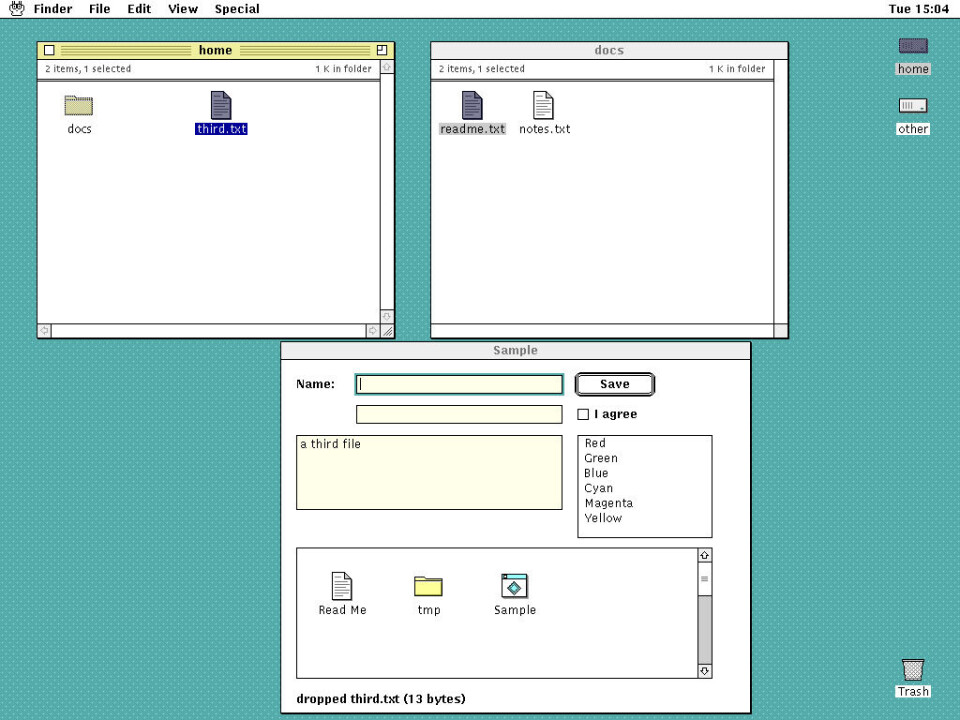
According to the project’s GitHub repository, 9/ux desktop is a “Macintosh-inspired graphical environment for 9front.” The README says it recreates the classic Mac and A/UX desktop experience, including a spatial desktop, a global menu bar, consistent controls and dialogs, icons, and resource-driven presentation.
The README also explains that the project is built the Plan 9 way. The rio and libdraw components draw the screen, and 9P exposes the user interface state and commands of every application as files. Namespaces define the working environment, the plumber opens documents, and ndb holds human-editable metadata.
How the design works under the hood
Lindsay first introduced the project earlier this month in a short thread on X, saying he “made my own kind of A/UX but on Plan 9.” He later described the design in more detail, saying: “It’s filesystem inspectable. Shell scriptable.” He added that the Mac resource file format can also be used through the filesystem.
That approach is what sets the project apart from a simple reskin. Because application interfaces appear as files, scripts can inspect and control them, which fits Plan 9’s design around everything being a file. The 9/ux desktop project therefore aims to be useful for automation as well as for looks.
Lindsay also acknowledged that the code was produced with the help of AI tools. In his own words, the project is “slop,” but he described it as original and creative bot-assisted coding.
Why 9front’s interface has been hard to use
9front has a loyal following among developers who enjoy Plan 9, but its graphical interface is not considered easy to learn. Its design was influenced by Niklaus Wirth’s Oberon operating system, which was known for being very small. The result is a desktop that many newcomers find cryptic.
Plan 9 itself came out of Bell Labs research, which continued the Unix tradition after the commercial Unix systems spread. Its successor Inferno, released in 1996, addressed several of Plan 9’s limitations. The interface of Inferno was once seen as a possible model for a more modern 9front desktop, but the 9/ux desktop project takes a different route by copying the Mac.
What the 9/ux desktop means for 9front users
The Mac-style look is aimed at making 9front easier to approach. The Finder-like windows, menu bar and dialogs in the project’s screenshots are familiar to anyone who used classic Mac OS, and they remove much of the strangeness of the default interface.
Whether the 9front community will embrace the project is unclear. The site that hosts the 9/ux desktop code is a personal project, and the broader 9front community has a long history of favoring its own conventions. Still, the project includes a programming manual written for AI agents.
Other AI-assisted 9front projects
The project is not the only recent work on 9front with AI assistance. The agent9 distribution includes LLM-assisted ports of C++, Python and Rust, along with a version of DOSbox and a package manager called pac9. Those tools show that developers are experimenting with AI to extend a small operating system ecosystem.
The 9/ux desktop code, along with its interactive demo, is available on the project’s GitHub repository and homepage, where the demo can be opened in a browser tab for a larger view.